Your Foundation for Understanding CRM Systems
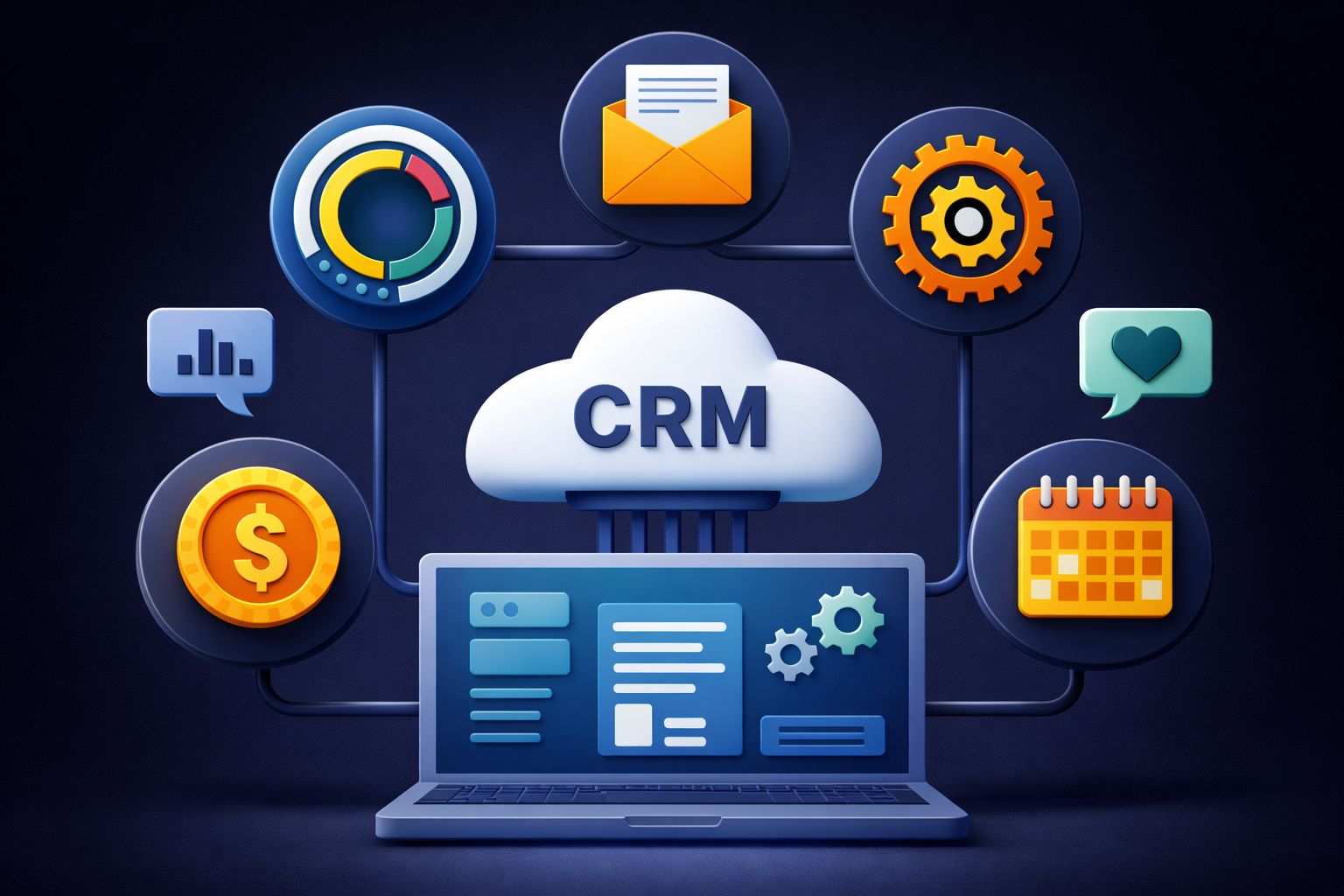
Customer Relationship Management systems act ascentralized hubsfor sales, marketing, and service teams. They pull together customer data from a bunch of different channels and turn scattered interactions into something you can actually use to keep customers coming back—and boost revenue.
How CRM Systems Actually Work for Your Business
CRMs gather info from websites, phone calls, emails, live chat, and social media, all into one place that everyone can access. Sales folks track leads and deals, marketers segment audiences and check campaign results, while service teams solve issues with the full customer history at their fingertips.
The system grabs data at every step of the customer lifecycle, from the moment someone first hears about you through to purchase andpost-sale support. This setup breaks down the old walls between departments.
When a customer reaches out for help, reps can instantly see what they’ve bought, whichmarketing emailsthey got, and every past service ticket. That’s a huge upgrade over guessing or hunting for info.
Early CRM thinkers like Robert and Kate Kestnbaum, and Robert Shaw, built the first database marketing ideas that eventually becamemodern CRM strategy. These days, CRMs are the backbone that connect commerce, IT, and everyone who interacts with customers.
Why Every Customer Interaction Matters
Every touchpoint tells you something aboutcustomer preferences, pain points, or what gets them interested. CRMs track all this to help you spot who needs attention, which products are getting traction, and which service hiccups need fixing.
This means you don’t have to treat every customer the same. Someone who abandons their cart gets a different follow-up than your loyal repeat buyer. Service teams can spot high-value accounts that need quick help.
Businesses use this info to cut churn, find upsell chances, and focus on the relationships that matter most. When you see the whole customer journey, it’s way easier to respond at the right time—or even get ahead of problems.
What Happens When CRM Meets Project Management
Bring CRM and project management together and suddenly you’re managing the whole customer lifecycle and your projects in one spot. Teams can see all the client info and project details they need, making collaboration smoother and turning insights into real project results.
How Your Teams Collaborate Better with Integrated Systems
When sales and project teams use separate platforms, things get clunky fast. With a unified system, both teams can see client orders, project goals, and deliverables—no more jumping between apps.
Sales hands off accounts to project managers with all the context included. Project managers see the customer’s full history—what they like, what they’ve asked for, and what was promised during the sale.
This cuts down on confusion and keepsproject executionin line with what the client expects.
Key collaboration improvements include:
- Shared task management so departments can assign work and track what’s done
- Centralized resource allocation to see who’s free and where you need expertise
- Real-time project progress updates for sales, service, and delivery teams
The platform puts pipelines and budgets side-by-side. Sales can watch deals move into delivery, while project teams keep an eye on costs versus budget. It’s a lot easier to juggle multiple projects without losing track of anything.
Turning Customer Feedback into Project Success
With integrated CRM and project management, customer feedback goes straight to project teams—no manual copy-paste. Service teams catch concerns, requests, and satisfaction data, and it all feeds directly into project planning.
Project managers get customer insights before they start work, not after. Teams can tweak scope, timelines, and priorities based on what clients actually want. That’s how you avoid generic outcomes and deliver what really matters.
This creates a feedback loop—teams see which approaches customers love and which ones don’t land. It’s a practical way to get more out of your software investment, focusing on what works.
Organizations can track how feedback changes project results and measure satisfaction gains. When you act on insights quickly, clients notice. That’s how relationships get stronger and retention rates climb.
Why Your Business Needs Integrated CRM Project Management
Integrated CRM project management brings all your customer data and project workflows into one place. You get cost savings, better project results, easier cross-team collaboration, andAI-powered insightsthat can give you an edge.
Save Time and Money with One Powerful System
Running separate systems for CRM and projects just piles on costs and headaches. An integrated platform means you only need to buy, maintain, and update one set of software licenses—instant savings.
Training’s easier too. People learn one system, not a patchwork of tools. New hires get up to speed faster, and your team spends less time bouncing between platforms or moving data by hand.
With everything in one place, you cut down on data silos, avoid errors from manual entry, and everyone works from the same up-to-date info. That means less time on admin, more on actual work.
Key financial benefits include:
- Lower software and maintenance bills
- Less IT infrastructure to worry about
- Cheaper training
- Fewer hours wasted on manual data entry
- Fewer mistakes and do-overs
Deliver Better Results to Your Clients
You can’t deliver great projects if you don’t have the right customer info. Integrated systems make sure feedback and preferences go straight to the people doing the work.
When a customer shares their needs during a sales call, project teams see it right away—no more info getting lost in the handoff. This makes for smoother transitions and better post-sale service.
If you keep meeting expectations and respond fast, customers stick around. Integrated systems help you spot at-risk accounts and step in before problems get big. You get a full view of thecustomer journeyso nothing gets missed.
And as your business grows, aunified platformcan handle more customers and more complex projects without adding chaos.
Align Your Departments for Consistent Customer Experiences
When departments run on different systems, customers get mixed messages and delays. It’s frustrating for everyone.
A unified platform brings sales, marketing, service, and project teams together. Marketing knows what projects are happening. Sales knows which services are being delivered. Project teams see what was promised. Service has the whole project history at hand.
This makes responses faster. Inquiries go to the right person, and everyone’s working from the same data. Customers get service that feels personal and connected.
Collaboration gets easier too. Shared dashboards and real-time updates keep everyone in the loop—no endless meetings or email chains. Teams rally around customer needs, not just their own department’s goals.
Make Smarter Decisions with AI-Powered Insights
Modernintegrated systemsuse AI to turn raw data into real insights. AI can spot patterns in customer behavior that might slip past a human, helping you predict which clients need attention or which projects could run into trouble.
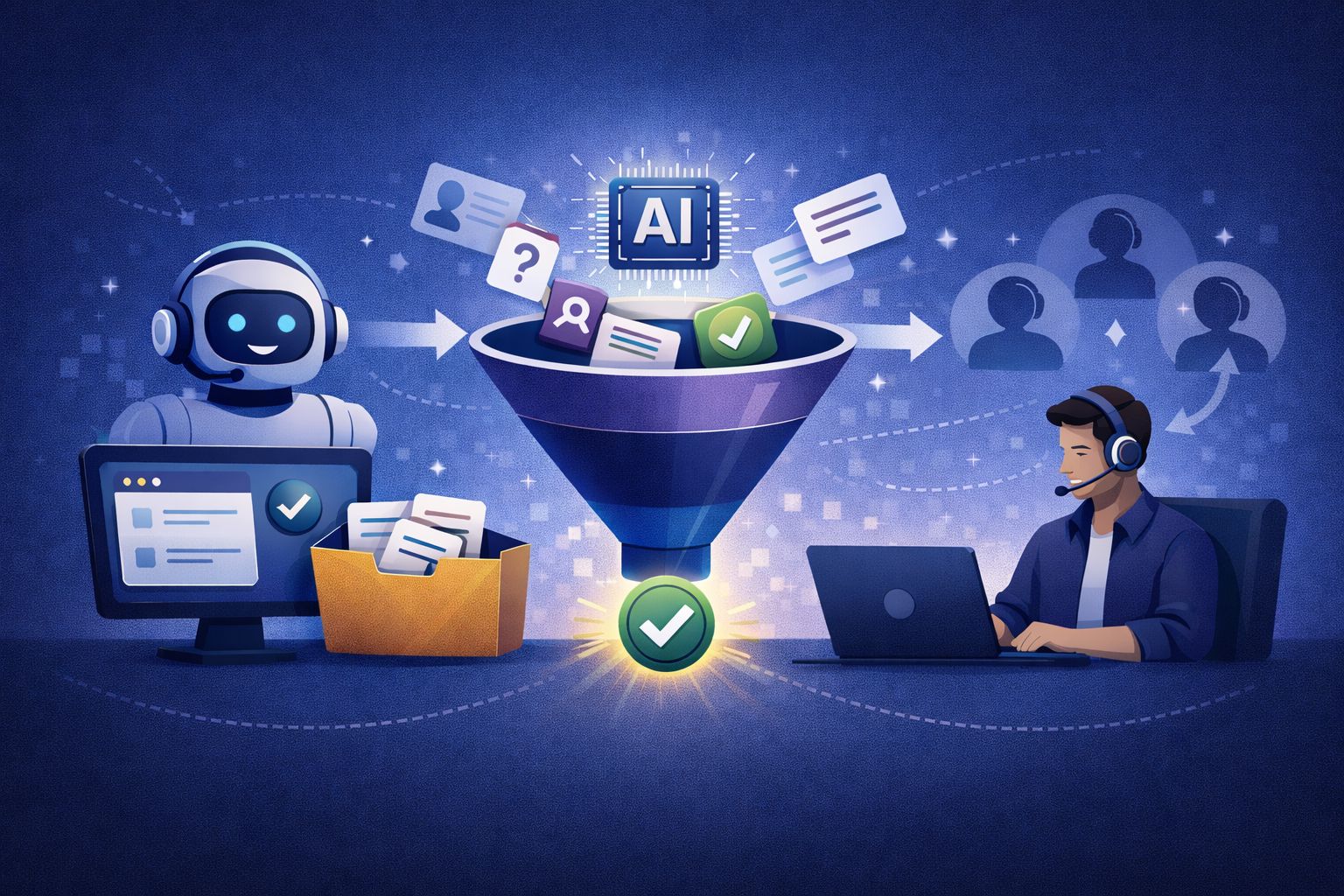
AI agents answer questions instantly, pulling from the full database of interactions and project history. No more hunting through different systems or waiting for replies.
Task tracking goes from reactive to predictive.AI algorithmscan forecast completion times, flag bottlenecks, and suggest resource tweaks before things go sideways. It’s a real help for keeping projects on track.
Personalization gets a boost too. AI connects dots across sales, project feedback, and support, so you can anticipate what customers want—even before they ask. That kind of proactive service sets you apart.
Your Essential Checklist for Choosing the Right Software
The best CRM project management software gives you up-to-date insights when you need them and plays nicely with the tools you already use. Look for automation, customization, collaboration features, document control, intuitive design, and room to grow—these are what actually support your day-to-day and future needs.
Real-Time Visibility into Your Projects and Pipelines
Having current data at your fingertips means better, faster decisions. Dashboards turn raw info into visuals that show where projects stand, how resources are allocated, and where things might be getting stuck.
Gantt charts lay out timelines and task dependencies, so you can spot scheduling issues before they cause trouble. Kanban boards make workflow management easy—just drag and drop tasks through stages like "To Do," "In Progress," and "Completed."
These real-time views help you solve problems before they become emergencies. Sales managers can watch deals move through pipelines, project leads can track task progress. When everyone’s looking at the same info, it’s way easier to coordinate and stay ahead of risks.
Seamless Integrations That Connect Your Tech Stack
CRM project management software should fit into your existing workflow—not force you to ditch tools that already work. Integration features decide whether your platforms work together or just create more silos.
APIs let different apps talk to each other, so data moves automatically from email marketing to accounting to chat tools. Third-party integrations bring in specialized software—support ticketing, payments, time tracking, analytics, and so on.
Common integration categories include:
- Email and calendar apps
- Accounting and invoicing tools
- Marketing automation
- Communication and video conferencing
- File storage anddocument management
Seamless integrations mean smoother workflows. Sales data flows into finance without manual entry. Customer service updates CRM records instantly. Marketing results trigger sales tasks. Less time moving info around, more time putting it to use.
Lead Management and Sales Pipeline Features
Sales tools should help you stay on top of every opportunity from first contact to close. Lead tracking logs every interaction, preference, and engagement.
Pipeline management sorts opportunities by stage, so you can see what’s moving and what’s stuck. Sales dashboards show metrics like conversion rates, deal size, and time to close—super handy for spotting trends.
Lead scoring gives points based on engagement, company size, or other signals. High scorers get fast attention, others go into nurture campaigns. Automated routing sends leads to the right team member based on territory or workload.
Tools for collecting and qualifying leads make sure you’re focusing on the right prospects. Web forms capture the basics, qualification steps weed out bad fits. This keeps your team focused and efficient.
Automation That Frees Your Team for High-Value Work
Let automation handle the repetitive stuff so people can focus on what matters. Email sequences go out based on triggers, like someone filling out a form or going quiet for a while. Follow-ups happen on time, no manual scheduling needed.
Tasks get assigned automatically as deals move stages or certain conditions are met. Status updates go out as projects progress, so you don’t have to chase people for info.
Automation opportunities include:
- Assigning and routing leads
- Sending reminders and notifications
- Updating records automatically
- Generating and sharing reports
- Reminding about renewals or payments
With these workflows in place, your team can spend more time on strategy, creativity, and building relationships. Salespeople consult instead of logging calls. Project managers analyze trends instead of chasing updates. Marketing can focus on campaigns, not list-cleaning.
Customization and Flexibility for Your Unique Needs
One-size-fits-all just doesn’t cut it. Custom dashboards let each role see what matters to them—sales gets revenue forecasts, project managers see resources.
Custom fields capture what’s unique to your business. Real estate CRMs track property details, manufacturers track specs and lead times. Tailored data makes reports way more useful.
Customizable processes mean your software fits your workflow, not the other way around. Sales stages match your buyer’s journey. Project templates reflect your methodology. Approval chains follow your real org chart.
Flexibility lets you adapt as you grow, without breaking what already works. The right platform bends to your needs but still stays reliable. That’s how you get software that helps, not hinders.
Collaboration Tools That Keep Everyone Connected
Shared workspaces act as a home base for project info, discussions, and file access. Everything's in one spot, which definitely beats hunting through endless folders.
Real-time communication features let teams ask questions or share updates instantly, without hopping between a dozen apps. It's a relief not having to switch tabs every five minutes.
Document sharing means nobody's stuck with an outdated file lost in some email thread. Everyone's (finally!) working off the same page.
Project status updates keep stakeholders in the loop about progress, delays, or when resources are running thin. No more wondering where things stand.
Notification systems nudge team members about tasks, deadlines, or last-minute changes. These reminders cut down on those repetitive follow-ups and endless status meetings.
Activity feeds show who's working on what, making it easier to spot collaboration opportunities and avoid doubling up on work. When info moves freely, teams stop working in silos—and honestly, things just get done faster.
Centralized Document Management
Customer docs pile up fast—contracts, proposals, quotes, emails, specs—you name it. Centralized document management keeps these files organized and tied directly to customer profiles.
Linking files to accounts or opportunities gives you a full view of each relationship. Sales teams can check previous proposals before drafting new ones. Project folks grab signed contracts to clarify deliverables. Support can pull up old correspondence when a client calls with a complaint.
Need a specific file? Search by keyword, date, or contact. Version control tracks changes, so you know who's done what, and audit trails keep things transparent.
Access permissions make sure only the right people see sensitive info. It's a relief knowing critical documents are just a click away—especially during a client call or contract negotiation.
Teams spend less time digging around and more time actually using those documents to get results.
User-Friendly Design and Scalability
Intuitive UI really makes or breaks whether teams stick with new software. Clean layouts, clear navigation—those little details matter.
Top Solutions That Combine CRM and Project Management
There are a handful of platforms that genuinely blend CRM with project management. Each has its quirks, price points, and ideal audiences, so picking one comes down to what your team actually needs.
Leading Platforms and Their Standout Features
Monday.com rolls out CRM project templates, built-in chat, and a bunch of project views. You get sales automation and a customizable contact database. Deals, call logs, and customer info live alongside your tasks. The Standard plan starts at $12 per user per month (billed annually).
ClickUp is super customizable, with CRM templates and over 50 types of customer data reports. You can send emails right from the platform and link them to project tasks. Task tracking, dashboards, Gantt charts, kanban boards—it's all there. Pricing kicks off at $7 per user per month (annual).
Zoho CRM covers contact management, lead tracking, and call scheduling. It comes with a to-do list and syncs with other Zoho apps. The Professional plan is $23 per user per month if you pay yearly.
HubSpot brings together sales automation and project management via its operations hub. Expect customizable pipelines, multichannel communication, and dashboards. It also offers deal tracking and AI-powered sales forecasting.
Salesforce is the powerhouse for CRM, with project management handled through third-party integrations. Advanced sales automation, custom pipelines, and deep reporting are standard. You can add project templates and resource allocation through its marketplace.
ClickUp is worth mentioning again for its affordability and broad feature set. Wrike comes with a sales CRM template, form builders for customer feedback, and time-tracking with Gantt charts. Asana lets you build a CRM database in table view and track sales targets with its timeline and kanban boards.
Insightly is all about contact management with built-in project tools and custom pipelines. Pipedrive focuses on visual sales pipelines and basic task management. Freshsales CRM adds AI-powered lead scoring to its project coordination features.
How to Evaluate and Choose Your Perfect Solution
Software evaluation really starts with figuring out what your team actually needs. If your crew is after advanced sales automation but only basic task tracking, then you’ll probably want to look at dedicated CRM platforms like Zoho CRM or Pipedrive.
Some organizations, though, crave robust project management with a side of CRM. In that case, Monday.com or ClickUp might make more sense.
Budget’s always a sticking point, isn’t it? If you’re running a small team and need to keep costs low, entry-level options like ClickUp at $7 per user per month could fit the bill.
For those who want a balance between price and features, Monday.com sits somewhere in the middle. Larger enterprises might be able to justify splurging on premium platforms, especially if they need fancy AI analytics or multichannel engagement.
Features—this is where things get personal. Sales teams usually want customizable pipelines, solid deal tracking, and dashboards that actually tell you something useful.
Project-focused folks are going to care more about Gantt charts, resource allocation, and maybe some handy project templates. If you need both, well, you’ll want to poke around and see which platforms actually deliver on both fronts (not all do).
Scalability’s one of those things you don’t always think about until it’s too late. The platform needs to grow with your team, not force you to jump ship halfway through a big project.
Keep an eye on user limits, storage, and which features are locked behind higher pricing tiers. That stuff can sneak up on you.
Integrations are a biggie if you’re already using tools you can’t—or don’t want to—ditch. Whether it’s communication apps, accounting software, or something niche, you’ll want a CRM/project management solution that plays nice.
Native integrations usually make life easier than cobbling things together with third-party connectors.
Most platforms toss out a 14-day trial, so take advantage. Test contact management, task tracking, and dashboards with your own data—it’s the only way to know if it actually fits.
And honestly, if your team’s not adopting the tool during the trial, it’s probably not the one.