Businesses today face a common challenge: managing customer relationships while keeping internal operations running smoothly. Two software systems address these needs—CRM and ERP—but they serve fundamentally different purposes.
CRM (Customer Relationship Management) focuses on customer-facing operations like sales pipelines and marketing coordination. ERP (Enterprise Resource Planning) integrates back-office functions including finance, HR, inventory, and supply chain into a single system.
Understanding the distinction matters because choosing the wrong system can create inefficiencies and data silos. CRM helps businesses track customer interactions and improve experiences across every touchpoint.
ERP connects disparate business components into one unified platform that serves as a single source of truth for organizational data. The decision between CRM and ERP isn't always either-or.
Many growing businesses eventually need both systems to support customer relationships and streamline cross-departmental coordination. Let's break down what each system actually delivers—because honestly, it's easy to get lost in the buzzwords.
What Your CRM Can Actually Do for Your Business
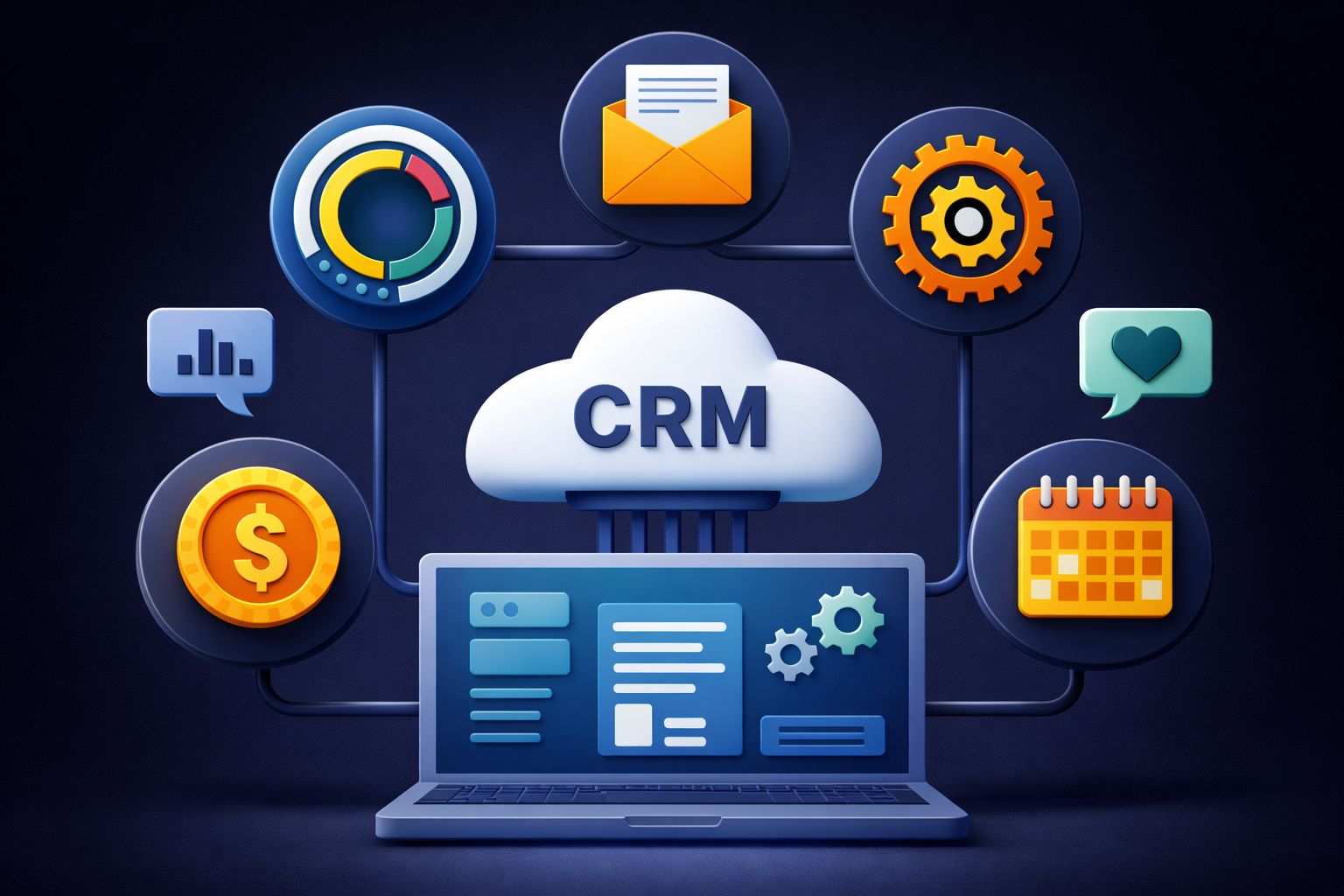
A CRM centralizes customer information, automates repetitive marketing and sales tasks, and provides service teams with complete customer context. It also transforms raw data into reports that guide strategy.
These capabilities work together to reduce manual effort while strengthening customer relationships at every touchpoint.
Organize Every Customer Detail in One Place
CRM systems consolidate contact information management into a single centralized customer database. Instead of hunting through email inboxes, spreadsheets, or sticky notes, teams access one record that includes names, email addresses, phone numbers, job titles, and company details.
The system captures more than just basic contact data. It tracks purchase history, records every email exchange, logs phone calls, stores meeting notes, and monitors website behavior.
When a customer browses specific product pages or downloads a whitepaper, that activity appears in their profile. This centralized approach eliminates version control problems.
Sales reps see the same customer data as support agents and marketers. When someone updates a contact's information or adds communication records, the change reflects immediately across the organization.
Key information stored in a CRM:
- Contact details (name, email, phone, address)
- Company information and job titles
- Purchase history and transaction records
- Communication records (emails, calls, meetings)
- Website behavior and content engagement
- Customer preferences and custom fields
Automate Your Marketing to Save Time and Increase Relevance
Marketing automation transforms how businesses communicate with prospects and customers. CRM platforms pull from customer data to build personalized marketing campaignsthat run without constant manual intervention.
Segmented email sequences target specific groups based on industry, company size, or behavior. A manufacturing company might receive different content than a retail business, even when both downloaded the same initial guide.
Behavior-triggered campaigns respond to customer actions automatically. When someone abandons a shopping cart, the system sends a reminder email within hours.
If a prospect downloads three whitepapers in a week, the CRM might trigger a sales notification or schedule a nurture sequence.AI personalizationanalyzes past interactions to recommend optimal send times, subject lines, and content types for each recipient.
Lead nurturing workflows guide prospects through educational content until they signal readiness for sales conversations.
Common marketing automation capabilities:
Guide Customers Through Your Sales Process Automatically
Automated sales funnel tools track each prospect's position in the customer journey and trigger appropriate actions at each stage. Lead management systems capture inquiries from web forms, phone calls, and chat conversations, then assign them to the right sales representative based on territory, product expertise, or workload.
Deal tracking displays every opportunity in visual pipelines. Sales teams see which prospects need proposals, which are awaiting contracts, and which deals are stalling.
The CRM flags opportunities that haven't moved in weeks, preventing valuable leads from slipping through gaps. Customer journey tracking monitors touchpoints across channels.
When a lead attends a webinar, requests pricing, then goes silent for two weeks, the system can automatically send follow-up reminders to the assigned representative. Abandoned cart emails recover revenue by reminding customers about incomplete purchases.
These messages often include product images and one-click checkout links that reduce friction.
Support Your Customers Faster with Complete Context
Customer service support features give representatives immediate access to complete customer histories before they answer a single question. When a customer calls about a billing issue, the agent sees previous purchases, past support tickets, and recent communication records on one screen.
This context eliminates repetitive questions. Customers don't have to explain their account history or repeat information they provided last week.
Representatives resolve customer requests faster because they understand the full relationship, not just the current problem. Real-time data access means support teams see the latest order status, current subscription details, and recent product usage.
When a customer asks about a shipment, the agent checks tracking information directly in the CRM rather than switching between multiple systems. The system also routes requests to specialists based on issue type, product line, or customer priority.
High-value accounts reach senior representatives automatically, while technical questions go to product experts.
Turn Customer Data into Actionable Insights
Reporting tools transform scattered customer data into clear visualizations that reveal patterns and opportunities. Marketing performance metrics show which campaigns generate leads, which email subject lines get opened, and which content pieces drive conversions.
Customer behavior tracking identifies buying patterns across segments. A business might discover that customers who attend demos convert at three times the rate of those who only download documentation.
Sales analytics highlight pipeline health, forecast accuracy, and individual representative performance. Managers spot deals at risk of stalling and identify which sales activities correlate with closed revenue.
Data-driven decisions replace guesswork. Teams compare actual lead quality and conversion rates from each channel.
Real-time data access means these insights reflect current performance rather than outdated quarterly reports.
Essential CRM analytics capabilities:
- Pipeline velocity and conversion rates by stage
- Campaign ROI and attribution tracking
- Customer lifetime value calculations
- Churn risk indicators and retention metrics
- Activity reports showing rep productivity
How ERP Systems Run Your Day-to-Day Operations
ERP systems manage financial operations, inventory levels, supply chains, human resources, and business intelligence from a single platform. These tools connect previously siloed departments and provide real-time visibility into the operational data that determines whether a business runs smoothly or struggles with inefficiency.
Take Control of Your Financial Operations
Financial management sits at the core of every ERP system. These platforms handle accounts payable and accounts receivable, tracking every dollar that flows in and out of the organization.
Income stream tracking provides visibility into which products, services, or business units generate the most revenue. Centralized financial data eliminates the chaos of multiple spreadsheets and disconnected accounting tools.
Finance teams access a single source of truth for budgeting and forecasting, making it possible to model different scenarios and plan for growth with confidence.
Key financial capabilities include:
- Risk management tools that identify financial vulnerabilities before they become problems
- Compliance features that ensure adherence to regulatory requirements and internal controls
- Enterprise performance management that connects financial outcomes to strategic goals
- Automated financial close processes that reduce month-end closing time from weeks to days
The system also enforces role-based permissions, ensuring only authorized personnel access sensitive financial information. This creates clear audit trails and reduces the risk of fraud or errors that could compromise the organization's financial integrity.
Never Lose Track of Your Inventory Again
Inventory control features track stock levels across multiple locations in real time. Businesses set reorder points for each product, triggering automatic purchase orders when inventory drops below defined thresholds.
This prevents stockouts that lead to lost sales and disappointed customers. Warehouse management capabilities organize products by location, making it faster for staff to find items and fulfill orders.
The system tracks serial numbers, lot numbers, and expiration dates for products requiring this level of detail. Real-time visibility reduces excess inventory costs by showing exactly what's on hand at any moment.
Companies no longer need to maintain large safety stock buffers because they can see actual demand patterns and adjust ordering accordingly. Advanced systems also handle cycle counting, ABC analysis for prioritizing high-value items, and integration with barcode or RFID scanning equipment.
This creates an inventory management process that's both accurate and efficient, eliminating the guesswork that often plagues businesses relying on manual tracking methods.
Optimize Your Entire Supply Chain
Supply chain management capabilities connect every step from procurement to final delivery. The system tracks supplier performance, manages purchase orders, and monitors delivery schedules to ensure materials arrive when needed.
Procurement optimization tools analyze spending patterns and identify opportunities to negotiate better terms or consolidate vendors. Integration with inventory modules means the supply chain automatically responds to stock levels.
When warehouse inventory drops, the system can generate purchase requisitions without manual intervention.
Supply chain coordination includes:
- Management of the entire flow of goods and services from suppliers through production to customers
- Demand forecasting that helps businesses anticipate needs and avoid rush orders
- Supplier relationship tracking for evaluating vendor reliability and quality
- Distribution planning that coordinates warehouses and transportation networks
This connected approach transforms supply chains from reactive firefighting operations into proactive systems that anticipate needs. Companies reduce costs by eliminating rush shipping.
They minimize waste from obsolete inventory, and improve customer satisfaction by ensuring products are always available when promised.
Streamline HR from Hiring to Payroll
HR management modules handle employee information from the moment someone joins the company until they leave. Onboarding workflows guide new hires through paperwork, training assignments, and system access requests without HR staff manually tracking each step.
Time tracking integrates with scheduling tools, capturing hours worked for payroll processing and project costing. Employees clock in and out through web interfaces or mobile apps, and the data flows directly into payroll calculations.
Payroll processing connects time records, salary information, tax withholdings, and benefits deductions into automated payment runs. The system calculates gross pay, applies all deductions, and generates both paychecks and required tax filings.
Beyond these core functions, HR modules maintain certification records, track performance reviews, manage vacation and sick time balances, and store documents like signed policies or disciplinary actions. This centralization ensures consistent people management processes and reduces the administrative burden that often bogs down HR departments in manual paperwork.
Make Smarter Decisions with Real-Time Business Intelligence
Business intelligence capabilities transform raw operational data into actionable insights. Leadership accesses dashboards showing key metrics across departments without waiting for IT teams to run reports.
This real-time visibility helps organizations spot problems early, when they're still manageable. Advanced analytics tools dig deeper into patterns that simple reports miss.
They identify which customer segments are most profitable, which products have the highest margins, and where operational bottlenecks slow productivity. Customizable reporting lets each department build the specific views they need.
Sales managers track pipeline metrics, operations directors monitor production efficiency, and executives review financial performance—all from the same underlying data set.
Business intelligence features provide:
- Cross-functional visibility that breaks down departmental silos
- Trend analysis that reveals patterns in customer behavior, seasonal demand, or operational performance
- What-if modeling for testing scenarios before committing resources
- Automated alerts when metrics fall outside acceptable ranges
Data-driven decision support moves organizations away from gut feelings and toward objective analysis. Teams make choices based on actual performance data rather than assumptions, leading to better outcomes and fewer costly mistakes.
Manage Projects, Assets, and Manufacturing Processes
Project management tools within ERP systems handle planning, resource allocation, and scheduling. Teams track tasks, monitor budgets, and measure progress against milestones.
Resource allocation features ensure the right people work on appropriate projects without overcommitment. Asset management capabilities maintain equipment records, schedule preventive maintenance, and track depreciation for accounting purposes.
Organizations know exactly what assets they own, where they're located, and when they need service. Manufacturing process optimization coordinates production schedules with inventory levels and customer orders.
The system tracks work orders through each production stage, manages bill of materials, and calculates production costs. This integration ensures manufacturing operations align with both supply chain capabilities and customer demand.
Some comprehensive ERP platforms include a CRM module within ERP for basic customer relationship functions. However, businesses with complex customer engagement needs typically benefit from dedicated CRM systems that offer greater depth in sales pipeline management, marketing automation, and customer service workflows.
The choice between an integrated CRM module or standalone system depends on how central customer relationships are to the business model.
Why Your Business Needs CRM to Grow Customer Relationships
CRM transforms how businesses interact with customers by centralizing data, automating routine work, and revealing patterns that drive smarter decisions. The result is faster service, more productive teams, better forecasting, and relationships that generate revenue long after the first sale.
Deliver Service That Keeps Customers Coming Back
Customer satisfaction hinges on how quickly and accurately teams can respond to requests. CRM stores complete customer histories in one place, so support agents see past purchases, previous issues, and communication preferences the moment someone reaches out.
That visibility means faster response times across every channel—email, live chat, or chatbots. No one has to dig through scattered files or ask customers to repeat information they've already provided.
Keyservice improvementswith CRM:
- Personalized assistance based on individual customer history and preferences
- Consistent support across teams, with shared context preventing miscommunication
- Proactive outreach using automated reminders for renewals, follow-ups, or check-ins
- Reduced resolution time through instant access to account details and interaction logs
When customers experience service that feels attentive and informed, they stay longer. Customer loyalty grows not from a single interaction but from the accumulated trust that comes when every touchpoint reflects genuine understanding.
Free Your Team to Focus on What Actually Matters
Team productivity takes a hit when people spend hours on data entry, manual follow-ups, and jumping between disconnected tools.
CRM cuts out that drain by automating repetitive tasks and centralizing workflows.
Digital channels like email, live chat, and chatbots can handle routine inquiries without a person stepping in.
AI-suggested actions nudge reps to follow up at the right moments or suggest next steps based on customer behavior.
Data entry automation scoops up call details, email threads, and meeting notes—no more tedious manual logging.
Sales and support teams get back hours every week that used to vanish into admin work.
That extra capacity can finally shift to what really matters: building relationships, tackling complex problems, and spotting new opportunities.
When the boring stuff fades away, employees get to engage more deeply with customers and make a bigger impact on growth.
Turn Customer Data into Revenue-Growing Insights
Customer data, when handled right, turns into actual intelligence you can use.
CRM brings together interactions, purchase patterns, and engagement metrics from thousands of contacts, showing trends no one person could ever spot.
Sales forecasting gets a whole lot sharper when pipeline data reflects real-time updates and historical close rates.
Teams can predict revenue with more confidence and put resources where they’ll do the most good.
Product development also gets a boost from feedback and feature requests logged straight into the CRM.
Companies can see what customers really want and shape roadmaps based on actual demand, not just guesses.
CRM-powered insights enable:
These kinds of insights scale up easily.
Whether you’re serving 100 customers or 100,000, the system processes data at any volume without extra effort.
Boost Sales While Building Lasting Loyalty
Customer retention is where the real magic happens.
Keeping your current customers costs less than chasing new ones, and loyal folks usually spend more as trust builds and their needs grow.
CRM helps make every interaction count.
Sales teams get up-to-date records with preferences, pain points, and purchase history, so conversations feel personal instead of canned.
Revenue grows faster when reps know which prospects are ready to buy and which need more time.
Automated scoring highlights hot leads, while follow-up sequences keep colder prospects engaged until they’re ready.
Lower acquisition costs come from referrals and repeat business.
Happy customers become advocates, so you don’t have to burn cash on endless outbound campaigns.
Financial impact of CRM:
- Top-line growth through higher close rates and bigger deals
- Bottom-line savings from reduced churn and cheaper customer acquisition
- Margin improvement by focusing retention efforts on your best customers
What ERP Actually Delivers for Your Bottom Line
ERP systems turnoperational improvementsinto real financial results.
They cut waste, speed up workflows, and give leadership the data to steer the business with more confidence.
Cut Operational Costs Across Your Business
ERP platforms pull together functions that used to be scattered across different systems.
That means no more juggling multiple software licenses, databases, or support contracts.
It slashes both admin costs and operational expenses—sometimes more than you’d expect.
Automating routine processes means fewer hours spent on manual data entry, invoice processing, and reconciliation.
Less repetitive work leads to lower payroll costs and lets you focus resources on bigger priorities.
Getting rid of redundant systems also drops IT infrastructure expenses.
You’re not paying for overlapping tools doing the same job in different departments.
Specific cost reductions include:
- Lower software licensing and maintenance fees
- Decreased IT support and training expenses
- Fewer errors that would otherwise lead to rework or compliance penalties
- Reduced inventory holding costs thanks to smarter demand planning
- Fewer late fees with better payment scheduling
Speed Up Every Process While Reducing Errors
Process automation in ERP wipes out bottlenecks that slow down order fulfillment, financial closing, and supply chain planning.
Tasks that once took days of coordination now finish in minutes.
Real-time tracking of materials, orders, and financial transactions gives teams instant visibility.
No more waiting around for updated reports or chasing info across departments.
When data only has to be entered once, errors drop naturally.
Connected departments all pull from the same info, so inconsistencies between teams become a thing of the past.
Efficiency gains show up in:
- Faster month-end and quarter-end financial closing
- Streamlined procurement and vendor management
- Quicker order-to-cash timelines
- Smoother production scheduling with fewer hiccups
- Faster response times to customer questions
Modern ERP platforms even bring in AI to spot patterns, flag weird anomalies, and suggest optimizations that might not be obvious otherwise.
Make Confident Decisions with Complete Business Visibility
ERP gives you a unified view of both financial and operational performance. Leaders aren’t stuck cobbling together insights from scattered spreadsheets or last month’s reports.
Customizable reports deliver the exact metrics each stakeholder wants—no more tedious manual data gathering. Executives can jump from high-level dashboards right into the nitty-gritty of transactions or department activity.
Real-time insights let businesses react fast to market changes, supply hiccups, or shifting customer needs. Decision-makers get up-to-date information on the spot, not after days of waiting for someone to compile it.
Financial discrepancies, inventory shortages, or compliance gaps show up right away, so teams can tackle issues before they snowball. That kind of visibility? It’s a game changer for staying ahead of risk.